How to Convert TIFF to Excel Using Simple and Quick Method
To convert TIFF to Excel, you need a powerful solution. This solution must be trusted and reliable enough to complete the entire process smoothly. TIFF stands for Tagged Image File Format which is a widely used image format. It is mostly used for scanning the documents or some high quality images.
In this blog we will provide you a step-by-step guide on how to convert TIFF to Excel spreadsheet without losing any important and crucial data. We have come up with one of the best tools to complete this entire process while consuming very less time. It will convert your data safely and there will be no chances of corruption or data loss. First let us talk about the advantages of the process.
Convert TIFF to Excel with Benefits
- Editable Data: Once you convert TIFF to Excel, your scanned data becomes fully editable.
- Reduced File Size: TIFF files are often large because they store high-quality image data. After conversion, Excel files are much smaller, making storage and sharing easier.
- Easy Sharing: Excel sheets are very convenient and easy to share across multiple platforms.
- Organized: It becomes very efficient to organize data into tabular form. Rows and columns, makes your data well structured.
Why Should Users Avoid the Manual Method?
The manual method can help you to convert TIFF to Excel, but it is not reliable enough to complete the task properly. It may cause multiple errors, formatting issues, and even data loss during the process. It does not guarantee accuracy, security and safety of your data. may face data loss in bulk while using this method. You can instead use better to choose an automated and trusted TIFF to Excel converter to get the desired result.
Convert TIFF to Excel Professionally
To convert TIFF to Excel professionally, TIFF Converter is the best tool offered by Turgs. This is the professional solution that offers advanced technology to convert your TIFF data in bulk quickly and efficiently. This amazing solution comes with multiple advanced filters that helps you to complete the conversion process in bulk. It not only offers you quick seamless steps and also offers you to get in touch with the technical support team 24/7 Any assistance.
Steps to Convert TIFF to Excel Using the Tool:
- First of all, download the converter software on your device.
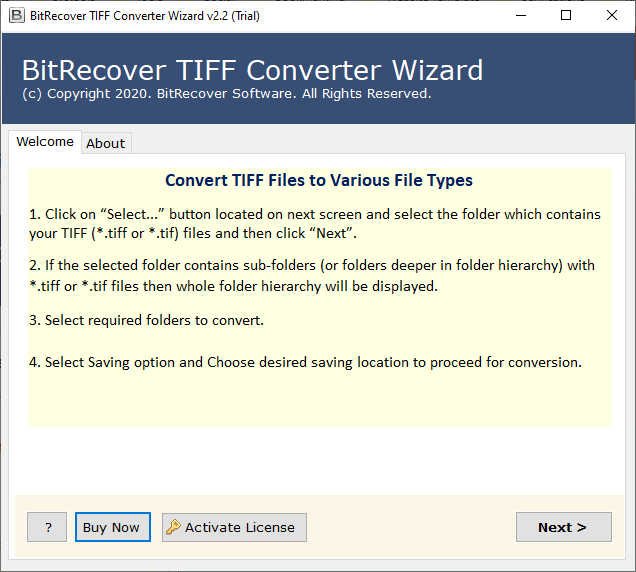
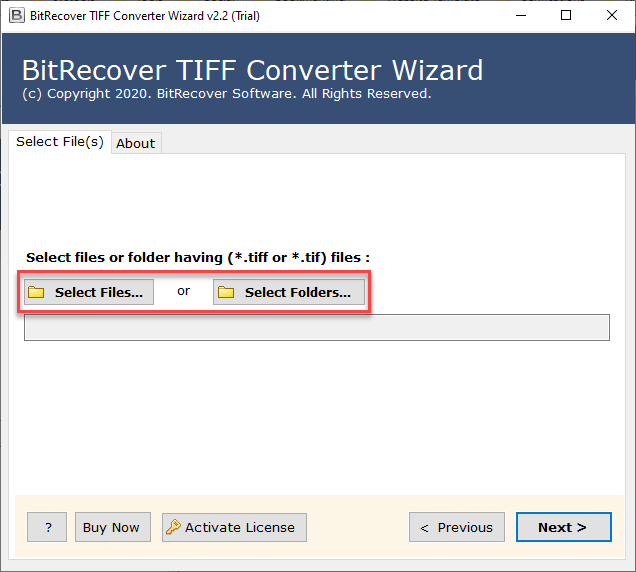
- Then, add your TIFF files via the Select Files or Select Folder option.
- Next, choose XLS File Format from the Select saving options

- After that, select a location to save the converted file.

- Lastly, click Convert and wait for the process to finish.

Features of TIFF to Excel Converter
- This is a standalone tool to convert Tif to excel all by itself without the support of any other tool or software.
- It is one of the most safe and reliable solutions for this conversion suggested by many experts.
- Tif to excel converter offers you multiple advanced features to access your data into excel spreadsheets easily.
- It maintains the originality and hierarchy of the uploaded data, with no chances of losing anything important.
- You can change tiff to excel within very less fraction of time through very quick and simple steps.
Conclusion
In this blog, you have learned how you can convert TIFF to Excel. The method we have explained here does not require any technical knowledge. By following the given information, you can easily solve this problem. And if you face any issues, you can contact our support team for assistance.