How to Convert TIFF to PNG Without Losing Data?
easily This TIFF to PNG converter allows you to convert your TIFF file to a PNG format without compromising image quality. If you are looking for how to convert TFF to PNG, you have come to the right place. TIFF files are well-known for being used to store high-quality images, particularly in printing, scanning, and photography. They are large files and not supported on all platforms.
Therefore, many users would rather convert TIFF file to PNG, a file format that is lighter, more compatible, and maintains good image quality. PNG has better compatibility, is easy to share, and is the best format for web use. Though TIFF is excellent for archiving, PNG offers usability for the user in their everyday lives.
Why Do Users Need to Convert TIFF to PNG?
- Reduced File Size: PNG files have greater compression than TIFF, so they are easier to store and share.
- Greater Compatibility: PNG works on almost every device, app, and browser.
- Lossless Quality: Image quality can be decent after conversion.
- Web & App Use: PNG is commonly used for websites, apps, and digital products.
- Better Sharing: PNG files are lighter and quicker to upload or email.
Method 1: The Best Way to Convert TIFF to PNG
If you have a TIFF to PNG conversion and want the very best TIFF Converter online, then you can easily convert TIFF to PNG. You will find this tool is a simple solution, as the entire process is automated. This converter is the most popular because it has many features that are loved by the users, like bulk conversion, where you can convert your image files in bulk without worrying about quality loss.
The TIFF to PNG converter provides clear and accurate results, and also you don’t need any technical realism to use it! Below are simple steps you can take to easily change a TIFF to a PNG in a matter of minutes. This dependable software is also dependable 24/7; if you have an issue while trying to record, you can contact support whenever.
Steps to convert TIFF to PNG:
- Firstly, download the TIFF to PNG converter and install it on your device.
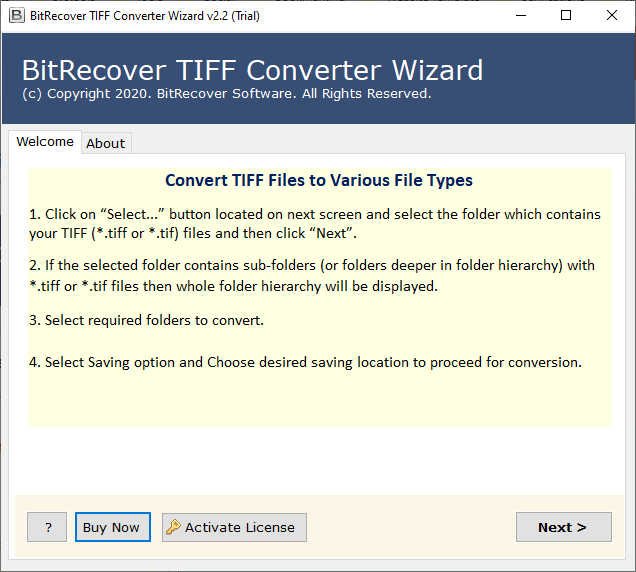
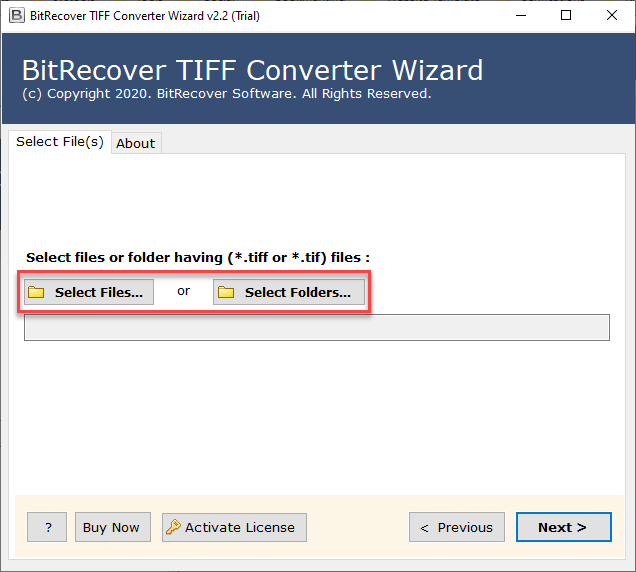
- Then, select your single or multiple TIFF files to upload.
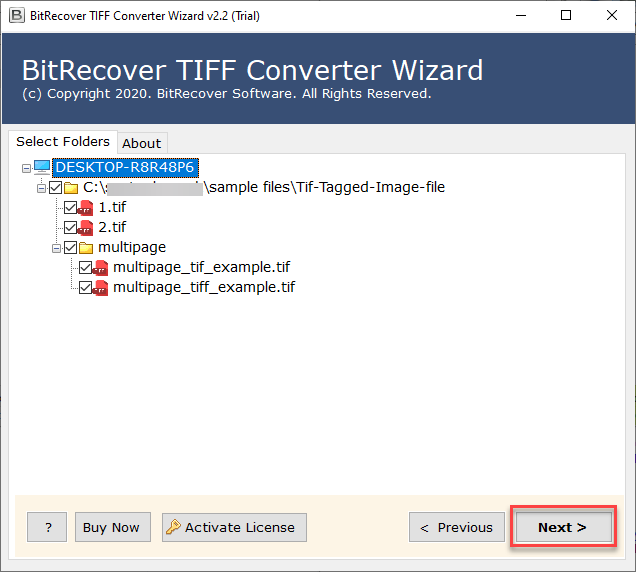
- Check or uncheck as needed your uploaded files.
- Now select PNG as the new saving format.
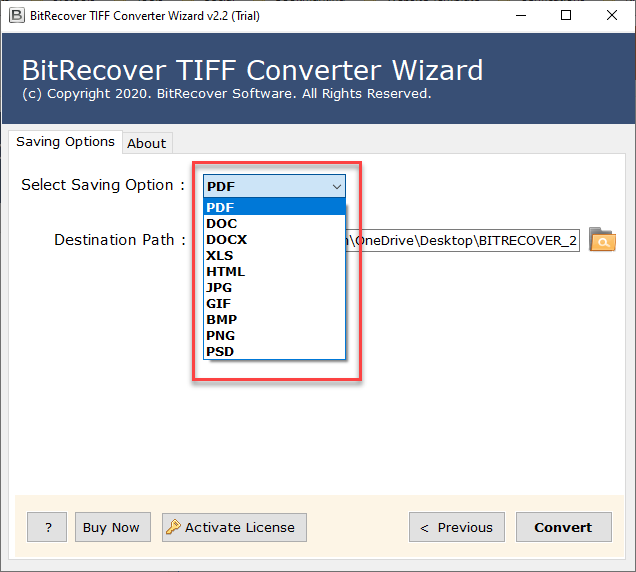
- After that, choose your destination path to save the newly created files.
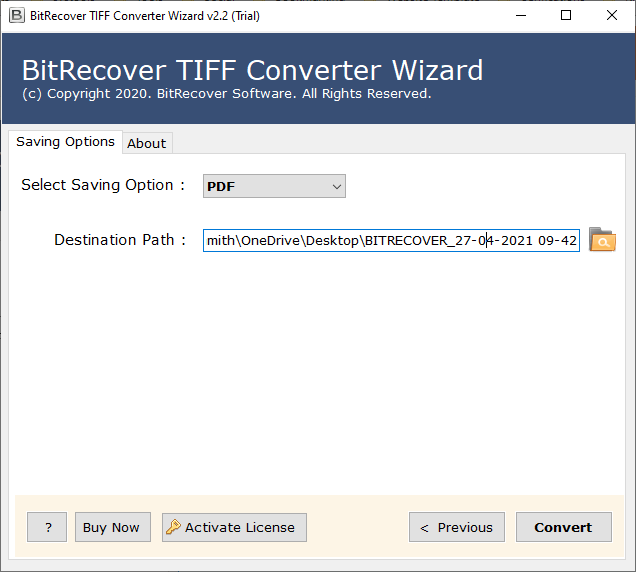
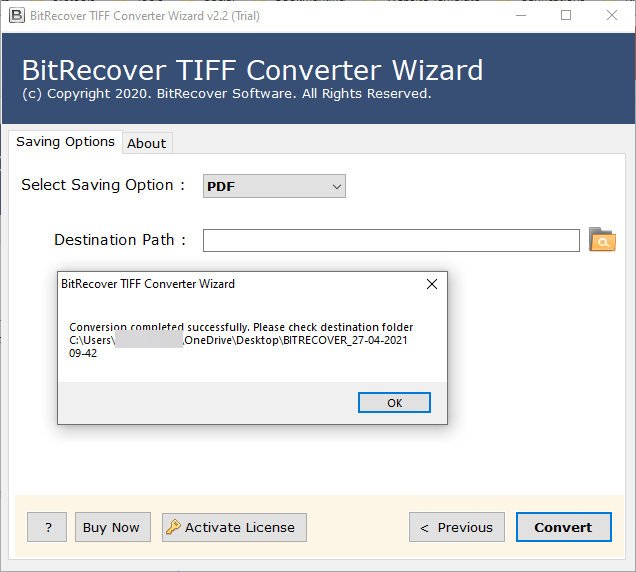
- At the end, click on the Convert button.
Benefits of Using This Software
- It is one of the most trusted and reliable options for converting TIFF to PNG without additional difficulty.
- A standalone that converts your files without the need of any other software is needed to convert images quickly.
- Provides two options Select Files and Select Folders, allowing you to upload the TIFF files you need based on your preferences.
- It allows you to preview the uploaded images before you convert to verify accuracy; therefore, it is a trusted TIFF file to PNG option.
- Has advanced features, converting TIFF files to PNG quickly and effectively.
- Your image quality, resolution, and all details remain safe throughout the whole conversion.
- Provides easy conversion with both single and bulk conversion.
Method 2: The manual method to convert TIFF to PNG
To convert TIFF file to PNG with the manual method, we need to download any image editor so that you can convert your images files one by one and carefully. You can download viewer/editor like Paint, Photoshop, or Preview (Mac).
- First thing is to open the TIFF file in any image editor
- Next go to the Save As or Export option.
- Then, last select PNG format and save.
Drawbacks of Manual Conversion
- Time-consuming if you have many files.
- It may reduce quality depending on the software.
- Not practical for professionals that use bulk images.
Conclusion
In conclusion, the professional way to convert TIFF to PNG is the most reliable and efficient method. Although it is possible to manually save the TIFF as a PNG one at a time, it does not support bulk conversion. The TIFF to PNG converter produces results more quickly, safely, easily, and reliably. Whether for personal or professional production, makes for easier storage, sharing, and usage.