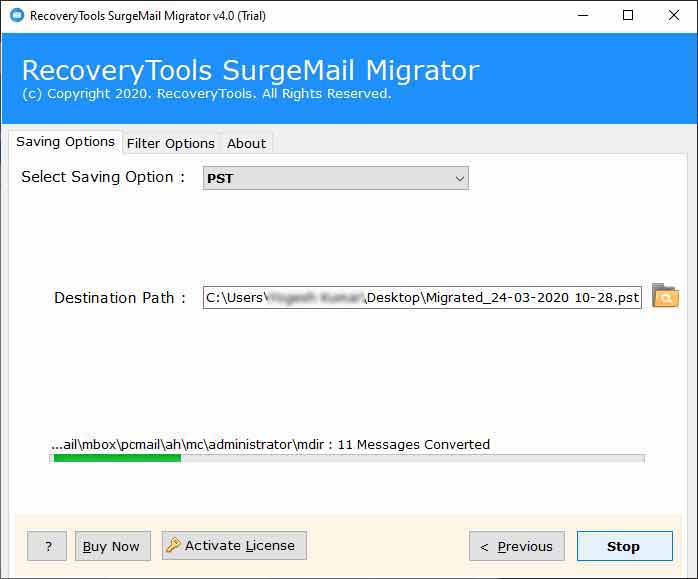
Turgs SurgeMail Converter Wizard
Migrate SurgeMail Server Data (Email & Contacts) to Another Server

(Average Rating 4.9 Based on 62 Reviews)
  • Transfer SurgeMail Mailbox to New Server Without IMAP Configuration Require.
  • Batch Convert Multiple User Profiles and SurgeMail Mailbox Files / Folders.
  • Migrate SurgeMail Contacts, Calendar, Emails, and Items with Original Details.
  • Transfer SurgeMail Mailbox Data to multiple Webmail and Cloud Services directly.
  • SurgeMail Migration Tool Maintain Emails Hierarchy with all Properties & Attachments.
  • Dual Selection Option to Migrate Multiple SurgeMail User Profiles Data at Once Click.
  • Support All SurgeMail Mail Server Data Generated by Linux & Mac or Windows OS.
  • Multiple Document, Email, Webmail Services, Mail Server Saving Options Available.
  • Maintain SurgeMail Email Folder Hierarchical Structure & Email Meta Properties.
  • Compatible with all Microsoft Windows Operating System Including Windows 10.

Download Now Purchase Now

*** Free SurgeMail Migrator allows you to convert 25 emails from every folder to desired saving option. In order to migrate all SurgeMail items to another server or Cloud account, Buy the licensed key to activate the software for lifetime use.

* Turgs SurgeMail Server Migrator is 100% Fully Secure Utility Certified by Virus Total Safety.

Where Can SurgeMail Data Be Transferred Using SurgeMail Migrator Tool
Turgs SurgeMail Converter Wizard - Migrate All SugreMail Items with Complete Accuracy

Migrate SurgeMail to Webmail & Clouds

Turgs SurgeMail Migration Utility allows its users to upload SurgeMail data to multiple webmail clients such as export SurgeMail to Gmail, G Suite, Outlook.com, Exchange Server, Office 365, Hosted Exchange Server, Amazon Workmail, IBM Verse, IMAP Server, etc.

Export SurgeMail to Email Formats

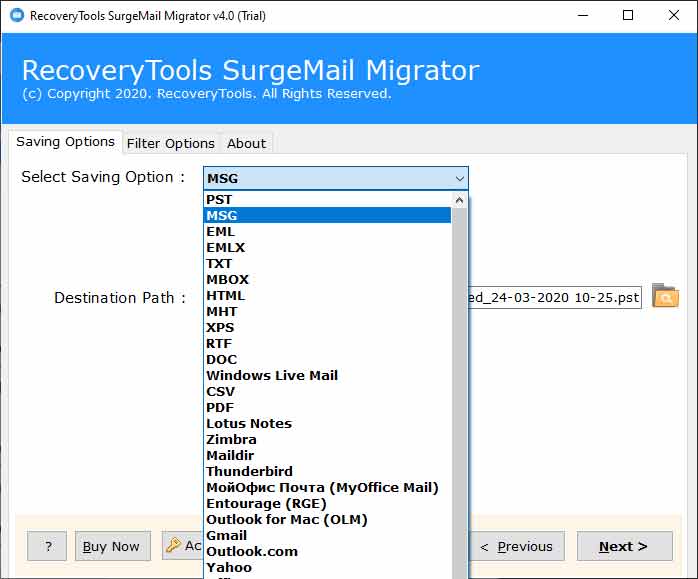
Turgs SurgeMail Converter allows its users to export SurgeMail emails to multiple formats such as convert SurgeMail to PST, MSG, EML, EMLX, TXT, MBOX, HTML, MHT, XPS, RTF, DOC, PDF, and CSV. The software converts all mailbox items at once click.

Convert SurgeMail to Document Formats

SurgeMail Migrator is one of the best application to convert SurgeMail Mail Server data to multiple readable or printable document formats such as Convert SurgeMail to Microsoft Excel, CSV, Microsoft Word, DOC, Notepad, TXT, WordPad, RTF, Web Browsers, HTML, MHT, Universal Document, etc.

Top 12 Advantages of Turgs SurgeMail Converter Wizard
SurgeMail Migration Tool – Top Benefits and Its Features

Import SurgeMail to Several Email Clients

Turgs SurgeMail Migration utility allows its users to import SurgeMail emails to 20+ email client applications. With the help of this SurgeMail Converter, users can transfer SurgeMail to Outlook, SurgeMail to Windows Live Mail, SurgeMail to Apple Mac Mail, SurgeMail to Zimbra, SurgeMail to Lotus Notes, SurgeMail to Thunderbird, SurgeMail to Maildir, SurgeMail to Entourage, SurgeMail to MyOfficeMail, SurgeMail to Outlook for Mac, etc.

Convert SurgeMail to 10+ Formats

SurgeMail Converter tool allows its users to export SurgeMail emails to 10+ file types. Users can convert SurgeMail emails to PST, SurgeMail to MSG, SurgeMail to EML, SurgeMail to EMLX, SurgeMail to TXT, SurgeMail to MBOX, SurgeMail to HTML, SurgeMail to MHT, SurgeMail to XPS, SurgeMail to RTF, SurgeMail to DOC, SurgeMail to PDF, and SurgeMail to CSV. This SurgeMail Migrator ensures that email attachments are also converted to another file type.

Upload SurgeMail to Webmail Clients

Turgs SurgeMail Converter enabled the users to convert SurgeMail emails to multiple file types. But, this software also allows you to upload SurgeMail mailbox data to multiple webmail clients and cloud accounts such as SurgeMail to Gmail, SurgeMail to G Suite, SurgeMail to Outlook.com, SurgeMail to Exchange Server, SurgeMail to Office 365, SurgeMail to Hosted Exchange Server, SurgeMail to Amazon Workmail, SurgeMail to IBM Verse, SurgeMail to IMAP Server, etc.

Migrate SurgeMail Emails & Attachments

The software has been developed in such a way to help its users when converting entire SurgeMail mailbox data without any technical guidance. During the migration process, the software will maintain the meta properties of the email such as email attachments, email addresses (TO, BCC, CC, from), subject, date and time, etc. The SurgeMail Mailbox Conversion Wizard guarantees that data integrity remains intact.

Batch Migrate SurgeMail User Profiles

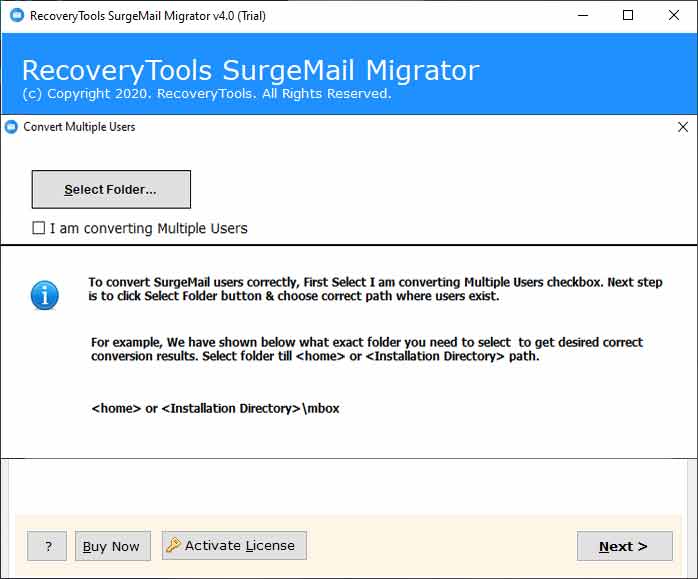
Turgs SurgeMail Converter software proves to be an advanced application for exporting SurgeMail mailbox data. No technical knowledge is required to perform SurgeMail mailbox migration. The software provides dual selection options for selecting multiple mailboxes simultaneously. You can select batch SurgeMail profiles by clicking on “Select Folders” and "I am converting multiple users" options.

Selective SurgeMail Data Migration

After selecting the SurgeMail mailbox data with the SurgeMail Migrator tool, the software will load all SurgeMail data into the interface. Here, you can choose only the required email folder, which you want to migrate from SurgeMail to another server or file type. This advance mode will help you to move only the necessary items from SurgeMail to New Server and also it saves users time and effort during the migration process.

Maintain Email Folder Hierarchy

SurgeMail converter wizard software proves to be a very useful utility in many ways. Folder hierarchy is very important for every user who wants to transfer their data from one platform to another. This SurgeMail converter allows its users to preserve the SurgeMail email folder hierarchy structure during the migration process. It also maintains email properties and email metadata properties during the conversion process.

Transfer SurgeMail to New Server

Turgs SurgeMail Mail Server Converter provides different options for transferring SurgeMail directly to New Mail Server accounts. The software supports the IMAP server option to transfer SurgeMail data to any IMAP Server account without any complications. However, it also provides several options to Migrate SurgeMail to Kerio Mail Server, SurgeMail to MDaemon Server, SurgeMail to Exchange Server, SurgeMail to Rackspace, SurgeMail to Zoho Workplace, etc.

Resultant Data Arrangement Options

The software offers a lot of single message storage file saving options for storing single email information. But, sometimes users need to organize their resulting data according to the requirements. The SurgeMail Transfer tool comes with several file naming options, which can be used to arrange emails according to user requirements. It provides options with a combination of subject, date and time, and email address.

Extract Complete Mailbox Items

Turgs SurgeMail Converter Wizard is a powerful application for migrating entire SurgeMail user mailboxes to another platform. This means that you can migrate multiple SurgeMail user profiles to new platform without changing the meta properties. The software allows you to transfer all SurgeMail mailbox data and folders to the desired server or file type. You can extract SurgeMail all data including emails, folders, documents, attachments, etc.

Standalone SurgeMail Migrator Utility

Turgs SurgeMail Migration utility is a fully standalone application to perform SurgeMail Backup and Restore process without any complexity. It is completely optional for users to install and configure the SurgeMail mail server on your computer. The software does not require connectivity to the SurgeMail Mail Server during the migration process. Also, there is no need to install any other plugins to convert SurgeMail data.

Support All Windows Platforms

Turgs SurgeMail Migrator utility is one of the best application to migrate SurgeMail data to another platform. The best part of this application can run on all editions of Microsoft Windows and Server editions such as Windows 10, 8.1, 8, 7, Vista, XP, as well as Windows Server 2019, 2016, 2012, 2008, etc. The software also supports to run on all Microsoft x86 and x64 bits of Operating systems without any complications.

Customers Testimonials

Turgs SurgeMail Converter Wizard Verified Customers Reviews

Frequently Asked Queries

Commonly Asked Users Questions & Answers

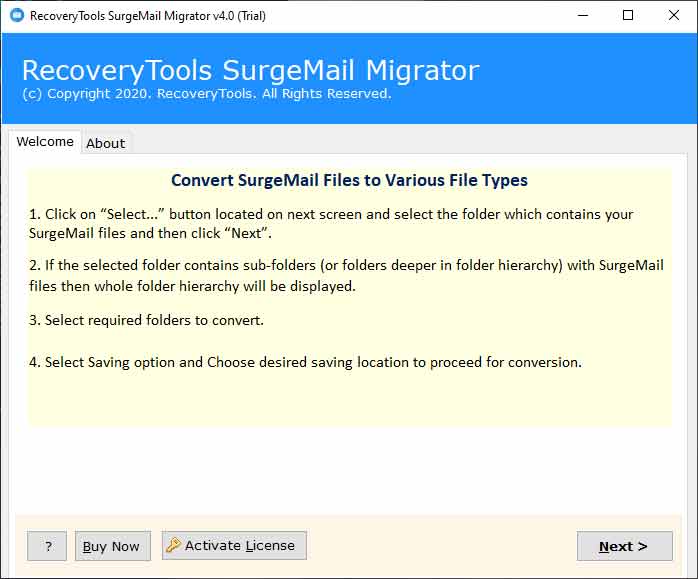
Follow the below steps to transfer SurgeMail to New Platform: -

  • Run Turgs SurgeMail Migrator on Windows.
  • Select SurgeMail Data with Batch mode or Dual Modes.
  • Choose the required SurgeMail email folder in the list.
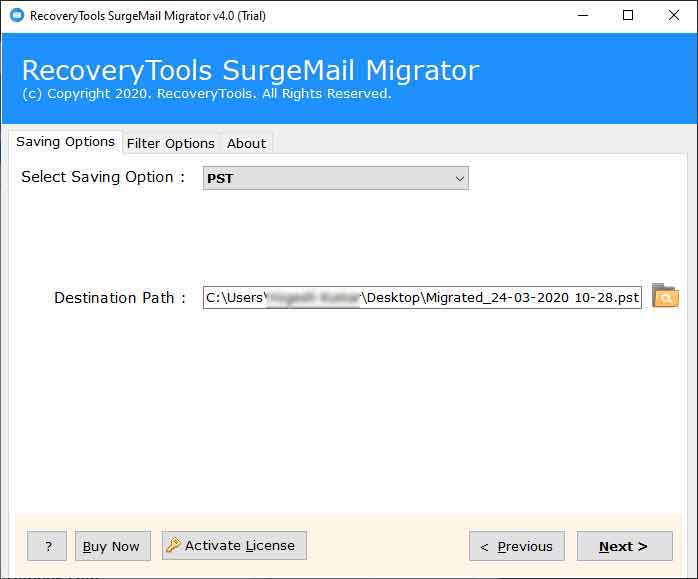
  • Select Saving option and new server options in the saving list.
  • Provides details of your new server and click on the migrate button to start the process.

No, there is no need to configure SurgeMail during the migration process. It is a completely standalone application and there is no need to connectivity with SurgeMail mail server.

Yes, the software supports SurgeMail Linux, Unix, Mac and Windows based mail server data without any issues.


No, there is no and platform dependency required to run this SurgeMail converter tool.

Yes, the software allows you to migrate all user profiles from SurgeMail to desired location without any issues.

There is no any limitation of file size to migrate with this utility. You can transfer and convert any type of any size SurgeMail data without any issues.

Yes, the software allows you to migrate all user profiles from SurgeMail to desired location without any issues.

The software run with very lower hardware requirements such as: -

  • Computer Processor Requirements: - Intel & AMD 1 GHz Processor. (Recommended 2.8 GHz Processor)
  • Computer Ram Requirements: - The minimum recommended Ram space is 1 GB only.
  • Computer Storage Space Requirements: - The software require only 100 MB of free disk space.
  • Operating System Requirements: - The software works on Windows 10, 8.1, 8, 7, Windows Server 2019, 2016, 2012, 2008, etc.
  • Trial Limitations: - The software can migrate only 25 items from per SurgeMail folders.
Turgs SurgeMail Converter Pro For Windows - Free Download

Download SurgeMail Migrator on Windows to Export SurgeMail data to Multiple Cloud, Webmail, & File Types

Download Now Purchase Now