(Expert Solution to Take DreamHost Backup in the Required Format)
Compatible with all latest Windows OS
**Download DreamHost Backup Software demo version to measure the proficiency of the software to convert DreamHost emails. The demo version permit users to take backup of 25 DreamHost emails. To create more backup you need to buy the licensed version of this software.

Support Backup from Multiple Accounts
This software allows users to convert of DreamHost emails to various available standard file and formats easily. If you want to backup the DreamHost emails not only of one but many of accounts then it is the best solution for you. This software permit users to convert the DreamHost emails of multiple accounts one by one, i.e. only one at a time.

Capable To Export DreamHost Emails in Bulk
Using this software users can export unlimited numbers of emails at once. This software greatly support bulk conversion of DreamHost emails. There no file numbers and size limitations to export DreamHost emails using this software. This software can migrate DreamHost emails to other file or email format along with attachment easily.

Auto Loads All the Available DreamHost Emails
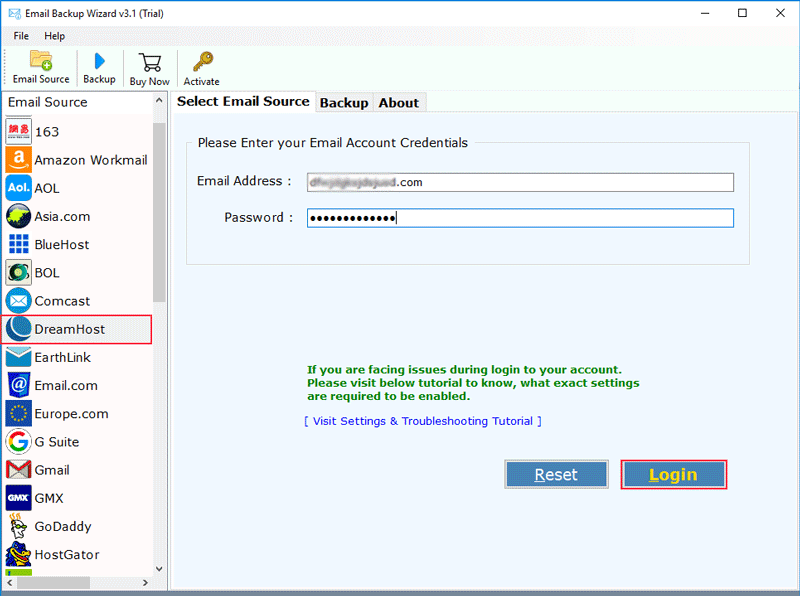
After choosing DreamHost as email source software will ask you to provide the account credentials. Soon after providing the DreamHost account details software will ask you to start analyzing the account. And it will auto-loads all the available DreamHost emails available in the account. Now choose the required email to backup DreamHost emails in a hassle-free way.

Export DreamHost Email to Various File Formats
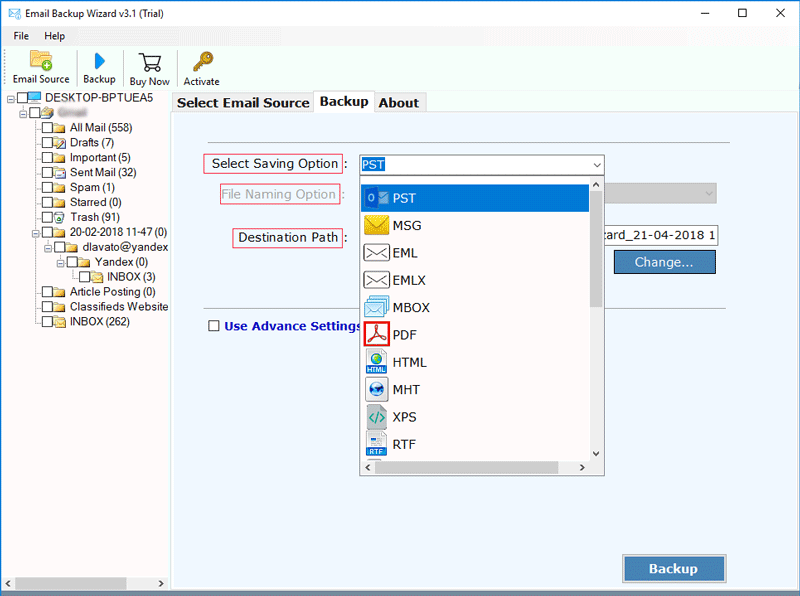
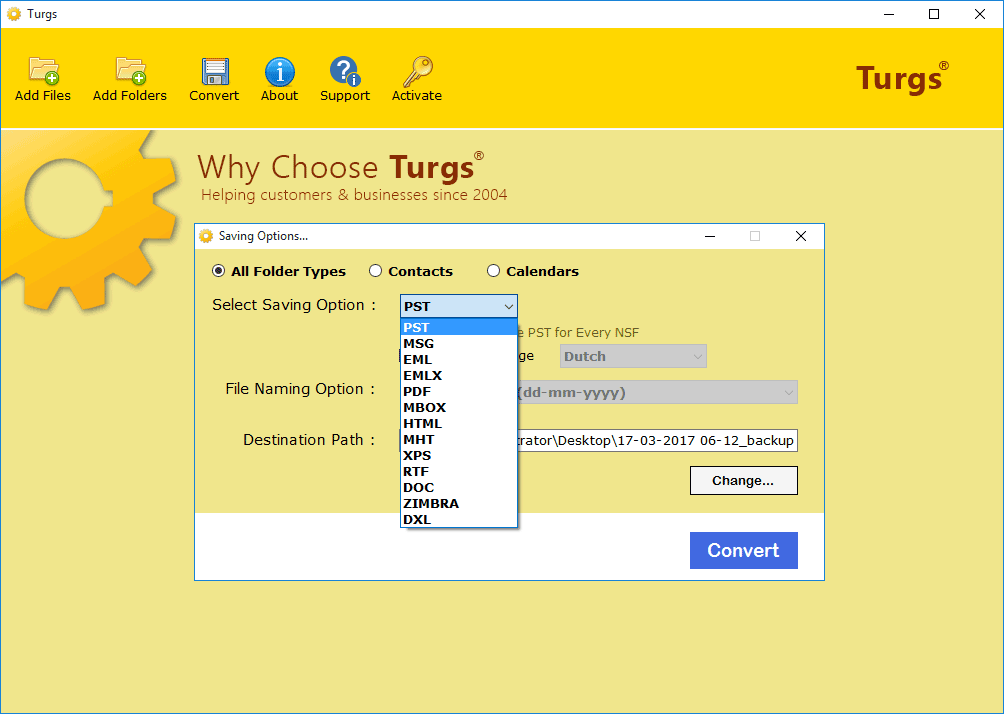
The best thing about this software is that you can convert DreamHost email data into various available file formats like DreamHost to HTML, DreamHost to Outlook PST, DreamHost to PDF, DreamHost to MSG, DreamHost to DOC, DreamHost to EML, DreamHost to MBOX, DreamHost to MHT, DreamHost to Apple Format, DreamHost to XPS, DreamHost to RTF, etc. effortlessly.

Migrate DreamHost Email to Any of Email Formats
This software is also capable to export the DreamHost email to several email formats. This tool only requires DreamHost emails to backup the emails. It can convert DreamHost to Lotus Notes, DreamHost to Zimbra, DreamHost to Office 365, DreamHost to Thunderbird, DreamHost to Rediffmail, DreamHost to Windows Live Mail, DreamHost to Yahoo, DreamHost to Gmail, DreamHost to Outlook.com, DreamHost to G Suite, etc. in Windows OS efficiently.

Advanced Setting for Selective Backup of Emails
For ease of search for the required DreamHost emails the backup. This software allows users to migrate DreamHost emails using advanced settings like particular date range, subject, receive or sender according to your need. By selecting the advanced settings users can export, migrate, convert or backup intact DreamHost emails selectively.
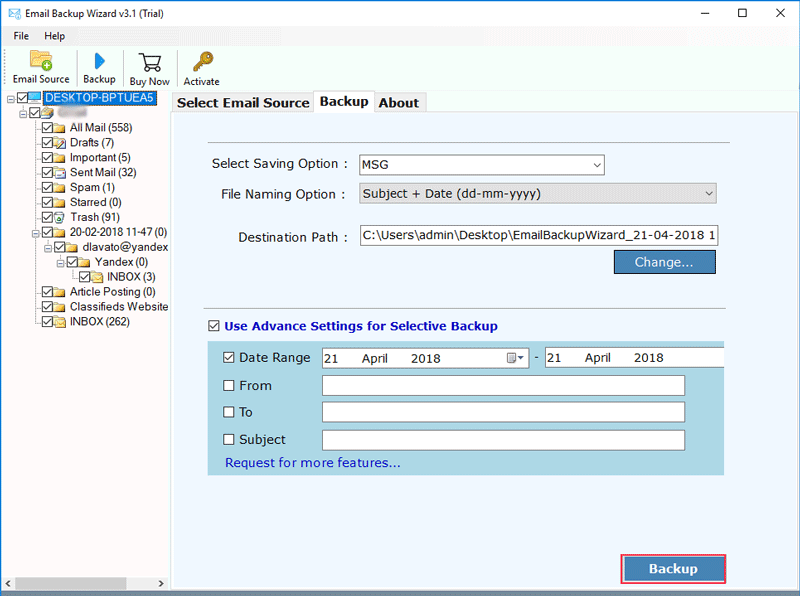
Screenshots - for DreamHost Migrator Software
Guide - How to convert DreamHost emails to any other file formats?
Install Turgs DreamHost Cloud Server Backup Software in your system. Now choose DreamHost as email source. Now provide tool all the account details to proceed further.

The software will auto load all the available emails after putting up the details. Now choose other saving options like file format, file naming option, and destination path. Choose among PST, EML, PDF, MBOX, MHT, DOCX, Gmail, etc.

For filtered backup of the required emails, this software provides users advanced settings options like date, subject, receiver or sender according to the required format. Press Backup after all selections.

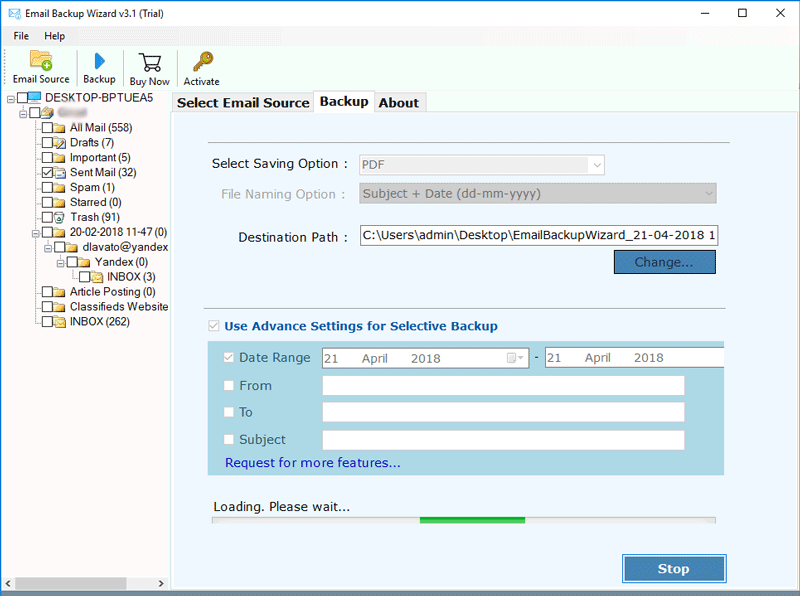
Software will now begin the backup process of DreamHost emails in seconds. Press “Stop” to abort the process whenever required.

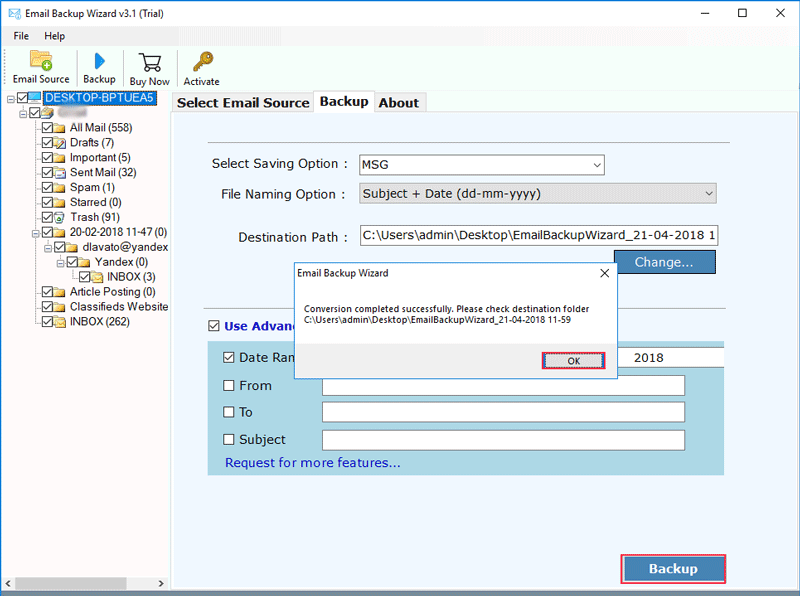
Now open the saved destination path once the process gets completed to view the DreamHost mailbox data backup.

Bundle Offer
For Personal use:
Email Backup Wizard + GMX Mail Backup Wizard + Backupify Wizard + Office 365 Backup Wizard + Yahoo Backup Wizard + Zoho Mail Backup Wizard
$304 $249

Note: Your Software will get delivered on your registered email id, within 15 minutes after placing the order.
To migrate DreamHost email data to another email client you need to download Turgs DreamHost Email Backup Software in your system. Then follow these simple to perform steps:
Yes, this software allows users to take backup of unlimited DreamHost accounts one by one.
You just require Pentium II 400 MHz, 64 MB RAM, Minimum 30 MB Space in order to export emails from DreamHost to Outlook using DreamHost Converter Software in your Windows OS System.
No, using the licensed versions users can convert DreamHost with no file numbers and size limitations. But with the demo version there exists limitations. As it only allows users to convert 25 DreamHost emails free for purpose of analyzing.