How to Repair Thunderbird Inbox File on Windows Safely?

Want to repair Thunderbird Inbox file? Here we are to help you with this process. This page is dedicatedly for helping you easily repair the Thunderbird folder. Mozilla Thunderbird is one of the most trusted and widely used desktop email clients for personal as well as professional communication.
Thunderbird stores all the mailbox data locally on the computer, including emails, folders, settings, contacts, and attachments. However, several users face multiple problems where Thunderbird inbox files become corrupted, inaccessible, oversized, or start behaving like an orphan file.
If you notice that your Thunderbird Inbox file is damaged, you may also notice that some of the emails are performing slowly, are blank, or frequently crash without any prior warning. This issue needs to be resolved urgently and you need to repair Thunderbird Inbox file with the best and most reliable solution to protect all your crucial information.
What is Thunderbird Inbox File?
A Thunderbird Inbox file is a specific mailbox file that is often named simply Inbox with no file extension. This is one of the folders that stores your emails locally on your computer in an MBOX format. It is a plain text file that consists of all your incoming messages and allow you to even access and store them offline.
Reasons to Repair Thunderbird Inbox File
Repairing your Thunderbird inbox file, which is usually a .msf index file, is important when index corruption causes issues such as missing emails, inability to open messages, or slow performance. There are multiple reasons that users need to thunderbird repair folder process:
- Missing or Disappearing Emails: Sometimes, users cannot find their emails, but they still exist in the mailbox and users need to repair Thunderbird inbox folder.
- Empty Inbox: If the index file is broken, Thunderbird thinks the inbox folder is empty and does not contain any email messages or they have been deleted.
- Inaccessible Emails: You can see the emails message in the list but you cannot access them or open them. Once you click them you may see only a blank screen.
- Slow Performance: Sometimes, inbox takes too much time to load all your messages and this may happen due to corruption as well that needs to be solved.
- Antivirus Conflicts: Some clumsy antivirus software could have locked or modified the inbox folder in Thunderbird that can cause the index to fall out of sync.
Method 1: Repair Thunderbird Inbox File by Compacting Folders
- First, open the Thunderbird email client.
- Now, right-click on the Inbox folder.
- After that, choose Properties >> Repair Folder.
- Wait until the process completes.
Method 2: Delete MSF Files
As Thunderbird creates .msf index files for faster mailbox loading, these files become corrupted and may increase issues in the inbox.
- First of all, close the Thunderbird email client completely.
- Now, open the Thunderbird profile folder.
- After this, navigate to the Mail or IMAPMail folder.
- Find the Inbox.msf file.
- Now, delete only the MSF files
- Once done, restart Thunderbird.
Method 3: Create New Inbox Folder
- In Thunderbird, create a new folder
- Transfer all your corrupted and affected files to the new folder.
- Close your Thunderbird and navigate to the Thunderbird profile location.
- Now, delete Inbox MSF, and rename it if you want.
- Once done, open Thunderbird and continue using the email client and access all the data.
Method 4: Built-in Repair Folder
- Start Thunderbird and right-click on the affected Inbox folder.
- Now, click on the Properties and click on the Repair Folder.
- After that, click on the OK button to start rebuilding the Thunderbird indexes.
Are These Manual Methods Reliable?
- These manual methods do not support fixing large amounts of email data.
- They do not guarantee you to fix the corruption in the Thunderbird index file.
- Does not show any information if there is something wrong and needs to be fixed.
- Can consume a lot of time, which means so much of your time will be wasted.
- These methods are technical and are not suitable for non-tech users.
Still Unable to Repair Thunderbird Inbox File?
If these manual methods fail to repair the Thunderbird Inbox folder, then you can use Turgs Thunderbird Backup tool. It is used and recommended by several professionals for backing up and converting Thunderbird emails to EML, PDF, PST, and multiple other widely used file formats. It offers multiple advanced features that really helps a user to manage and protect their entire data from Thunderbird with safety.
Quick and Safe Steps to Use this Solution
- First, download and install the solution on your Windows system.
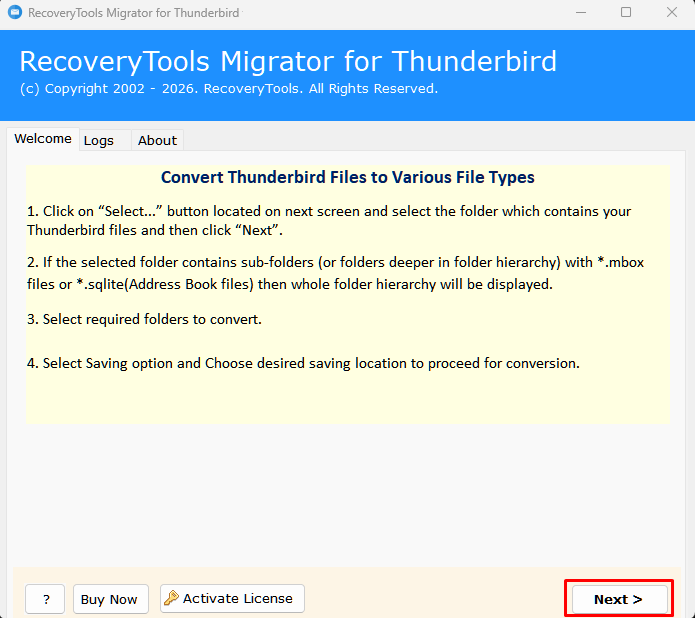
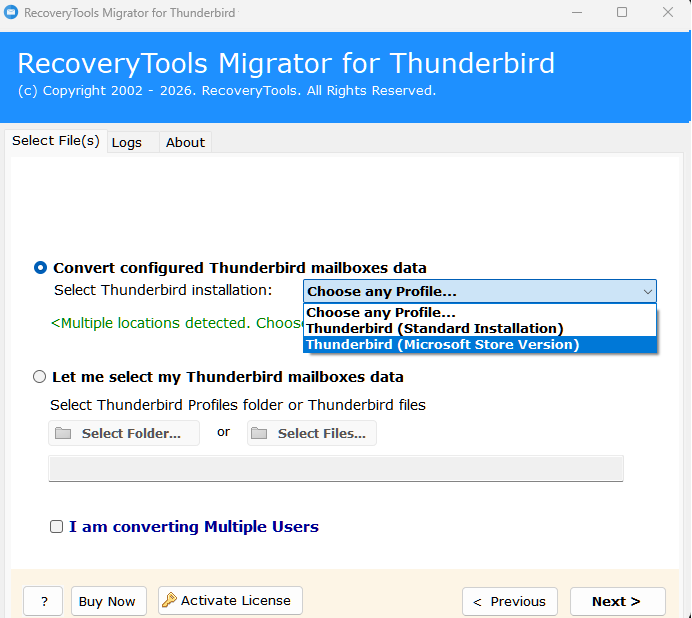
- Choose any option from Add Files and Add Folders to load data into the interface or choose to directly configure it.
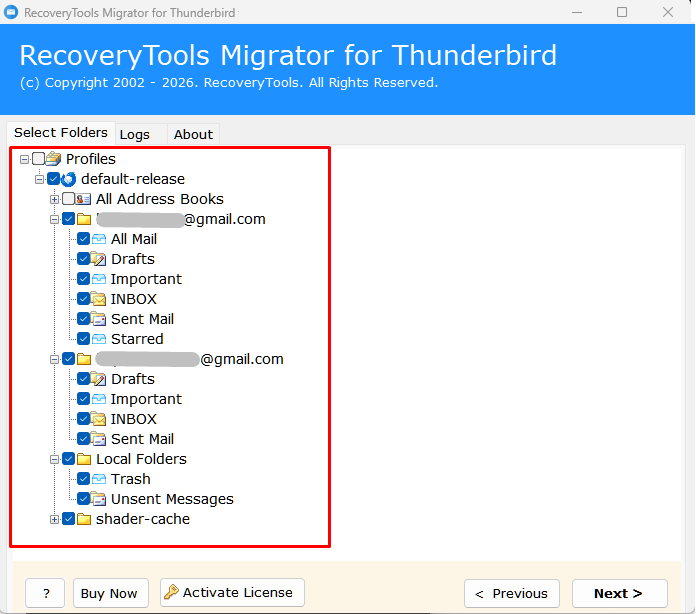
- Preview all the loaded data carefully before backing up to repair Thunderbird inbox file.
- Choose the saving option as per your requirements from the given list.
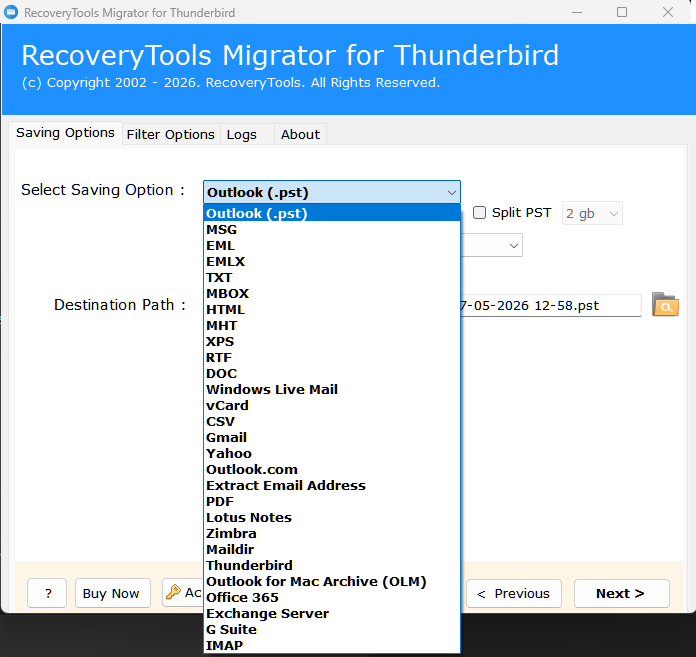
- Now, select a destination path to save the output data to easily relocate it afterwards.
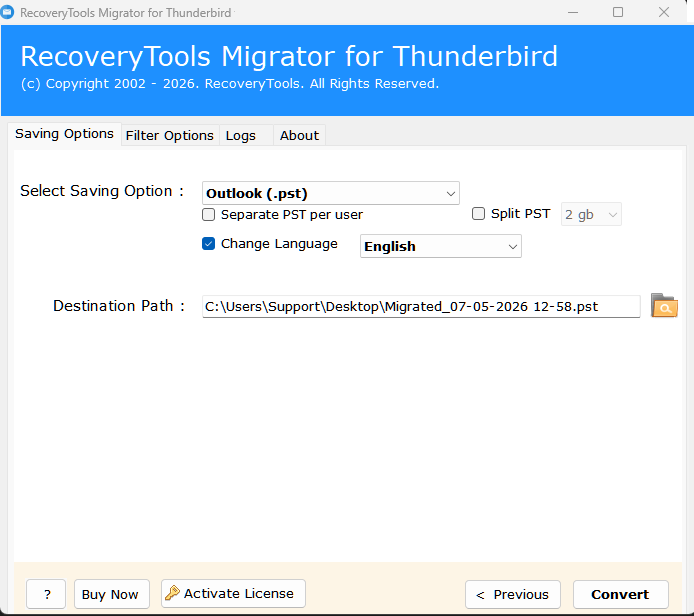
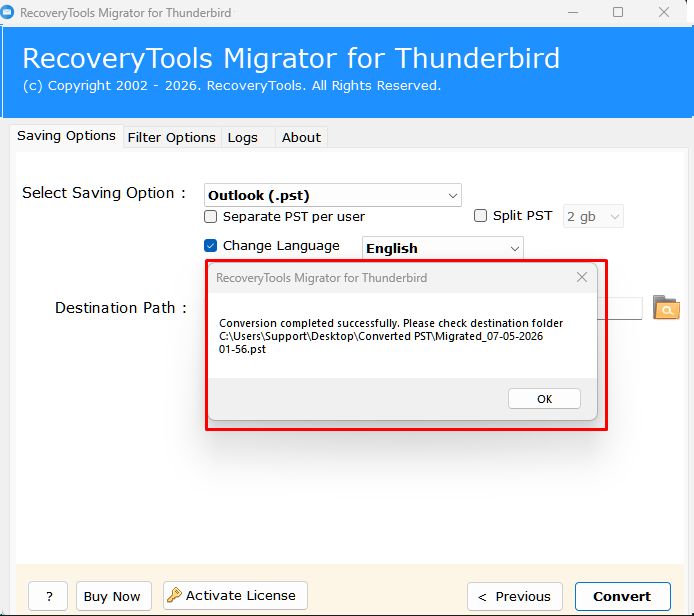
- Once done, click on the Convert button. Once completed, you will be notified.
Considerable Features of This Solution
- It allows you to repair Thunderbird inbox files safely and ensure security.
- allows users to convert Thunderbird emails to PDF for legal procedures and evidence.
- Offers multiple advanced features to manage Thunderbird data after the backup.
- You can easily migrate from Thunderbird to Gmail, Outlook, Zimbra, etc., with safety.
- Permanently fix the Thunderbird inbox folder, which is very helpful for the future.
Still Need Help?
This blog explained the best ways to repair Thunderbird inbox files. If you still have doubts or need any assistance regarding the process, you can easily contact our technical support team anytime. They are available 24/7 to guide and assist you throughout the entire process to manage the Thunderbird data securely.