Compatible with all latest Windows OS
*Try demo version of Turgs MBOX File to MSG Extractor to export MBOX Files to MSG Outlook format with attachments. This demo version Tool able to Extract 25 MBOX Emails to MSG Format for understand the working process of MBOX Files to MSG Utility Tool.

Convert MBOX Files to MSG Format
Free Download MBOX file to MSG Converter software to export MBOX emails to MSG file format without installation of Microsoft Outlook versions. The software support bulk MBOX emails to Bulk MSG migration and transfer MBOX emails to MSG at once within couple of seconds with best interface.

Support 30+ MBOX email Client Application
Turgs MBOX File to MSG Software support MBOX file over 30+ Email Client Application software such as Mozilla Thunderbird, Mozilla SeaMonkey, Google Takeout, Eudora, Mac Mail, Gmail, Opera Mail etc. MBOX file Email Client application. The software also provide option to import MBOX Emails to Outlook.

Dual Selection for Batch MBOX to MSG Migration
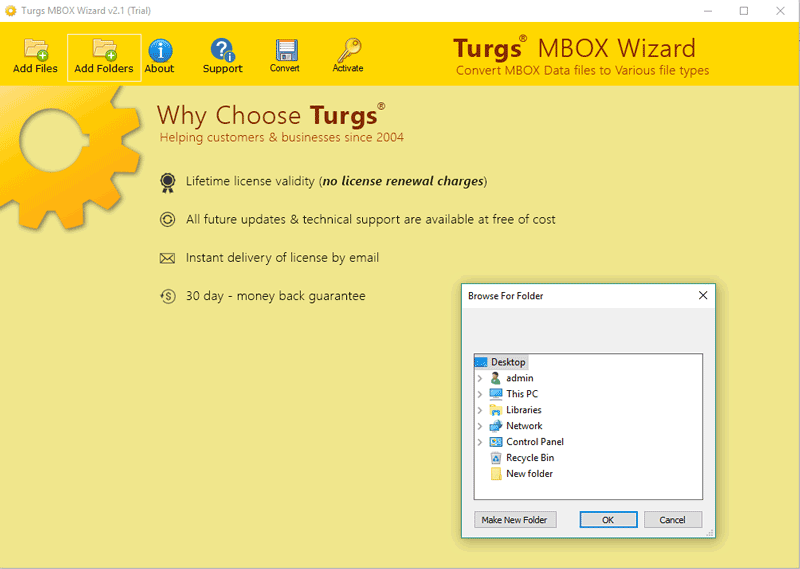
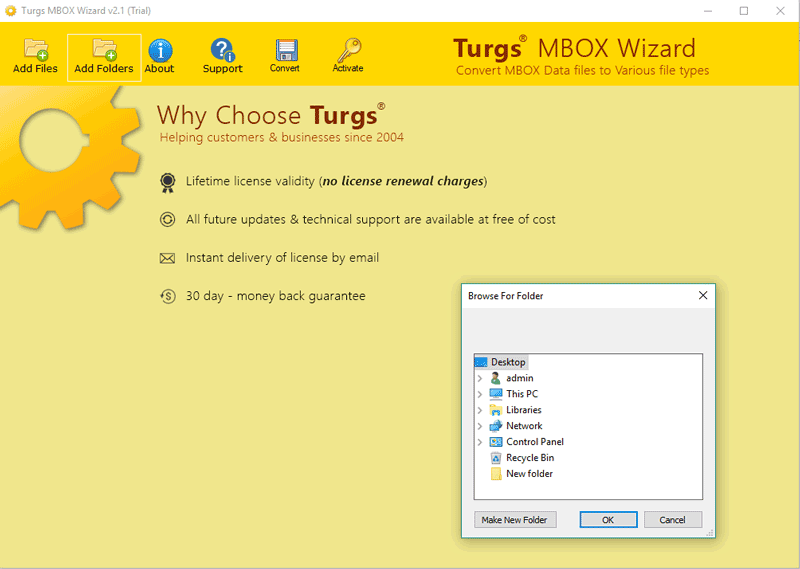
Turgs Solution offers best technical application software for users can save their time and efforts during Email File migration process. The software offers Two option to load single or multiple MBOX file into software for Batch Export MBOX file to MSG Outlook format without installation of Microsoft Outlook.

Save MSG files at User Desired Location
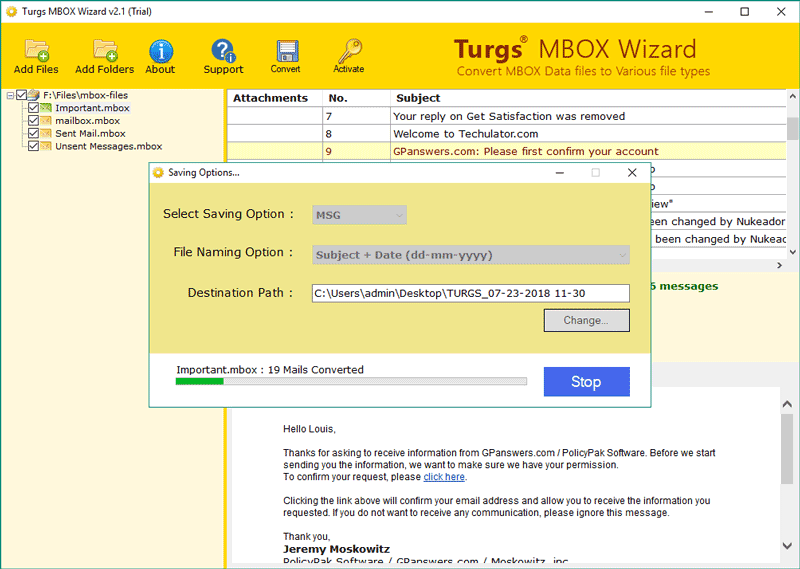
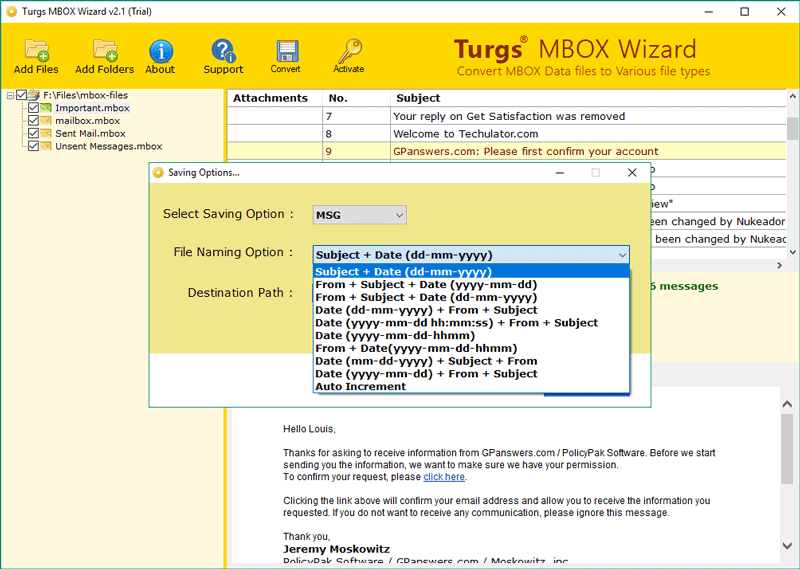
Save Converted MSG files data at users desired location for easily save all MSG files at your Pen Drive, Hard Drive Partition and External or Internal Media location. The software offers you various file naming options to manage and arrange or sort emails before migrate MBOX to MSG format processing started.

Microsoft Outlook Installation is Not required
It is an Independent Software platform which enables users to perform MBOX to MSG Migration without Outlook. The software gives provision to Convert MBOX emails to Outlook MSG format in the absence of Microsoft Outlook account configuration. It is standalone application software interface.

Preserves Email Meta Properties and Structure
Turgs MBOX to MSG Software provide easier and simplest way to Import Thunderbird MBOX file to MSG Outlook format. The software retaining same Folder hierarchal structure during MBOX Thunderbird to MSG Migration Process. Thunderbird Export MBOX file to MSG and Convert Apple Mail MBOX file to MSG format.
Screenshots
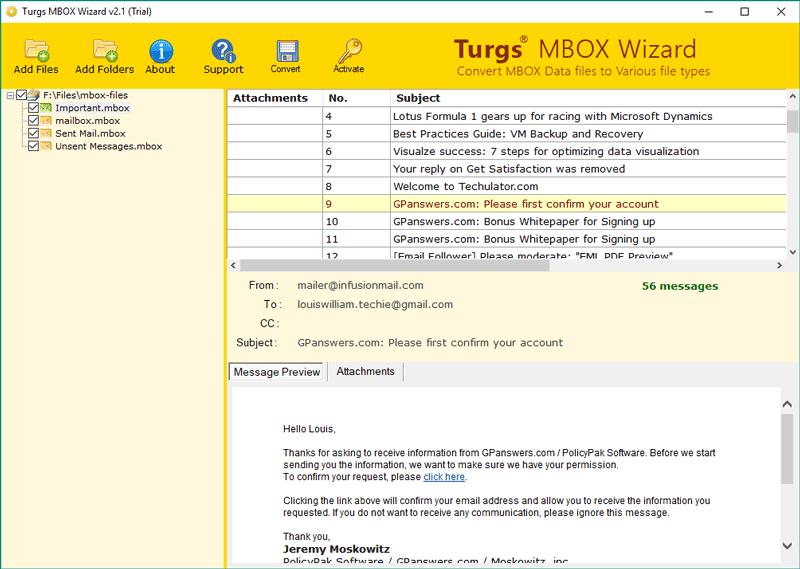
See screenshots of MBOX Files to MSG process and understanding the software functionality with easy steps. Learn more with Guide option and software working process.
Product Guide
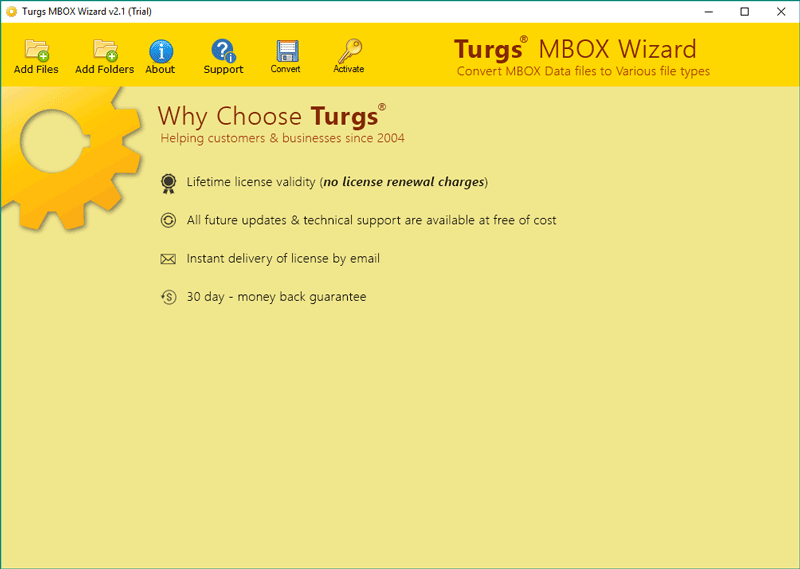
Get free MBOX file to MSG Extractor software on any Microsoft Windows Computer and laptop PC.

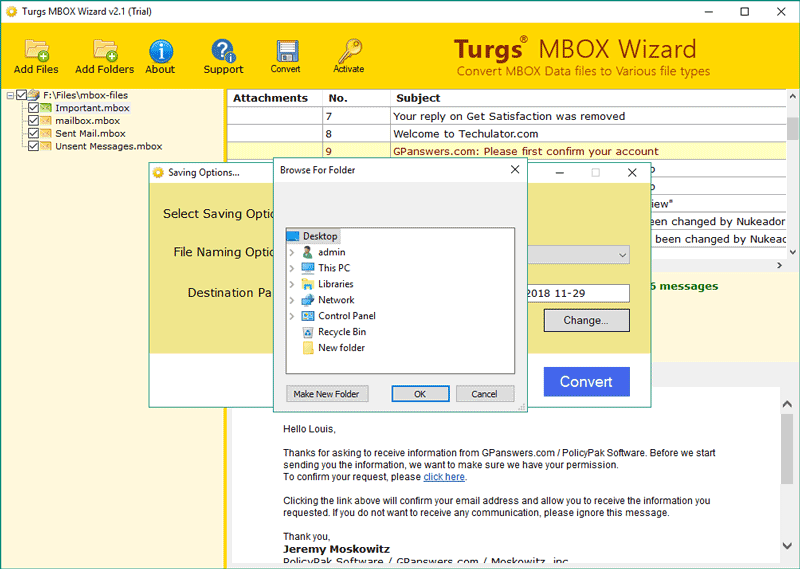
The software allows you to select single as well as multiple MBOX files at once with help of dual options.

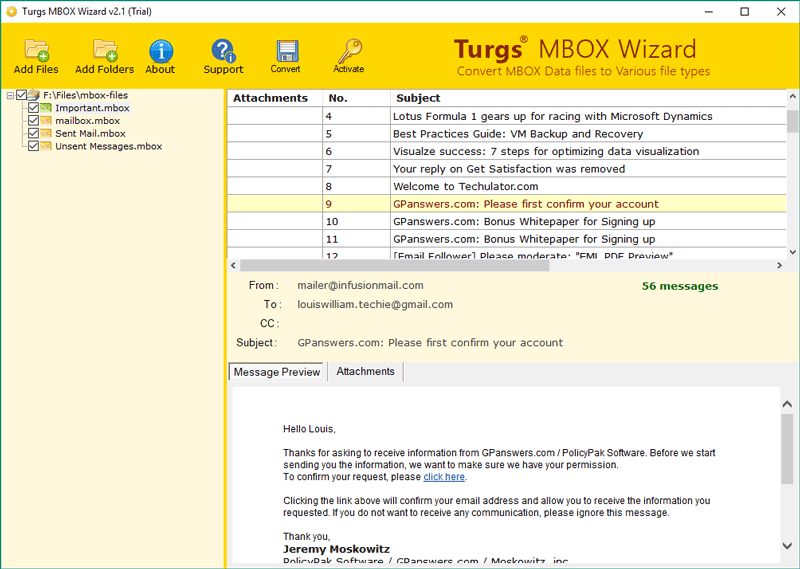
The software generate preview of selected MBOX email into software interface panel without facing any issue.

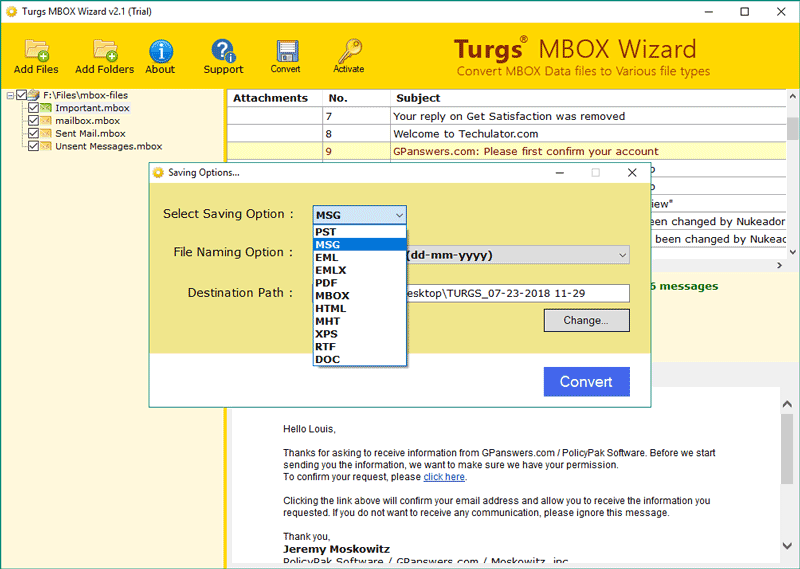
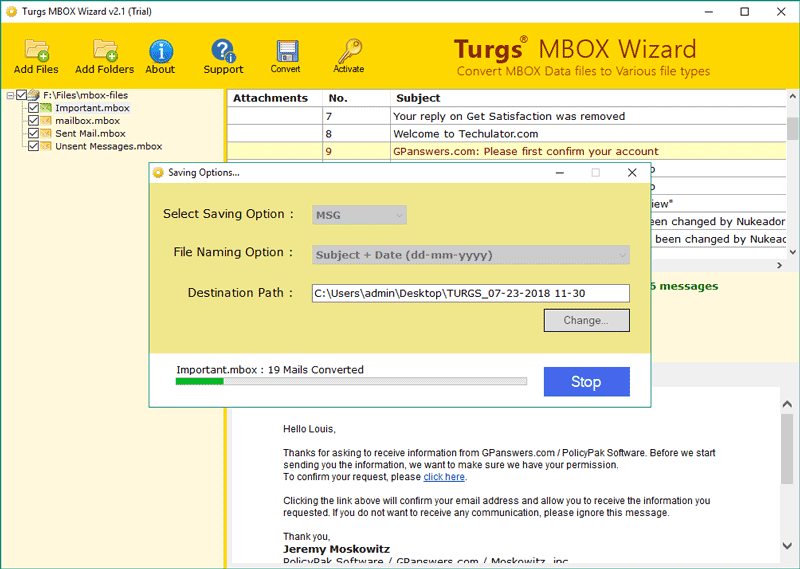
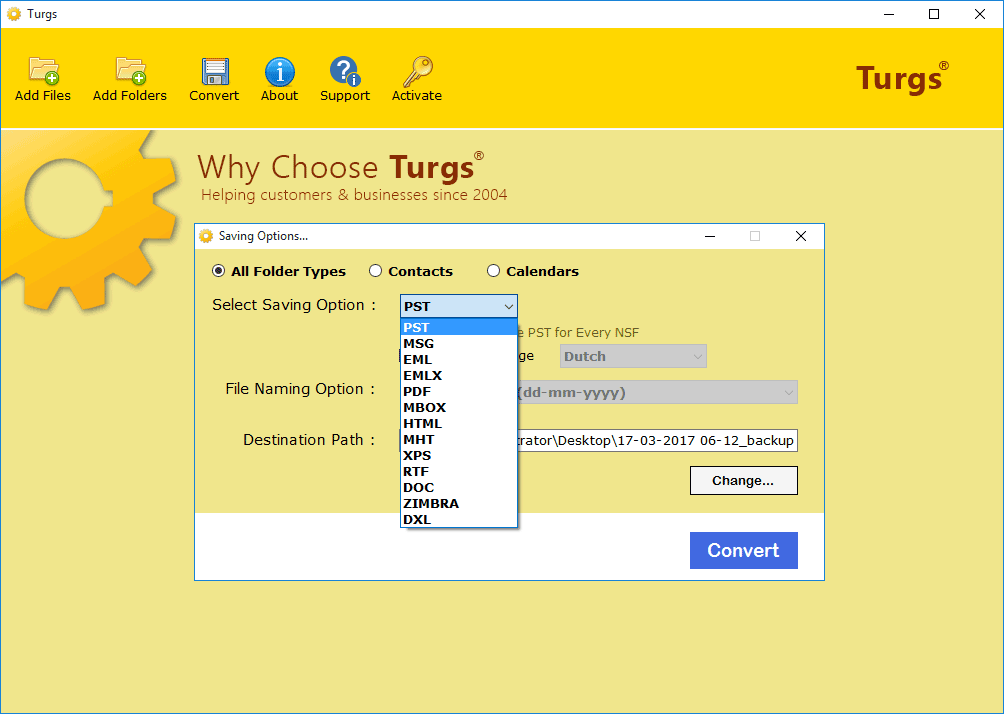
Select MSG format on Saving option after selection of required emails and email folder label.

The software allows you various naming option of selected MBOX files to MSG format conversion to manage or arrange emails before migration process.

The software offers you to set destination location of save Converted MBOX file to MSG file format without facing any issue.

The software starts the migration process of selected MBOX files to MSG file Conversion.

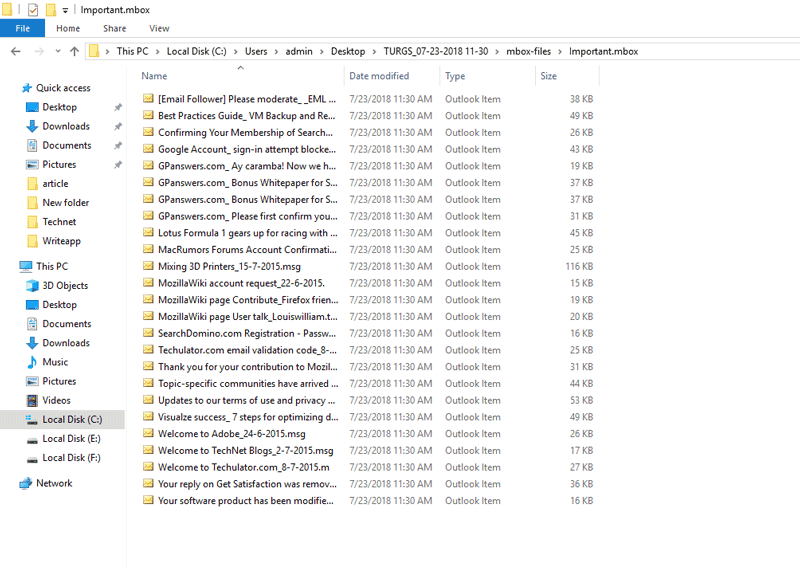
The software open default location and destination location to view and open MSG files easily on Outlook Microsoft.

Pro License
For Business purpose:
Valid for Multiple Computers
Lifetime License, No Expiry
$99
Bundle Offer
For Personal use:
MBOX Wizard + MBOX Merge Wizard + MBOX Splitter + MBOX Extractor + MBOX Attachments Extractor
$165 $129
Bundle Offer
For Personal use:
MBOX Wizard + MBOX Merge + MBOX to Gmail + MBOX to Maildir + MBOX to Office 365 + MBOX to Yahoo + MBOX Splitter + MBOX Extractor + MBOX Attachment Extractor
$401 $216

Note: Software will get delivered on your registered email id, within 15 minutes after placing the order.
Step 1. Launch Turgs MBOX to MSG Software on Any Windows OS.
Step 2. Load MBOX files into software and select MBOX Label or Folder.
Step 3. Select MSG Saving option and destination location to save MSG.
Step 4. MBOX to MSG Migration process take few seconds only.